Hvad er en vektorfil i de enkleste vilkår? (The Blueprint vs. The Photo)
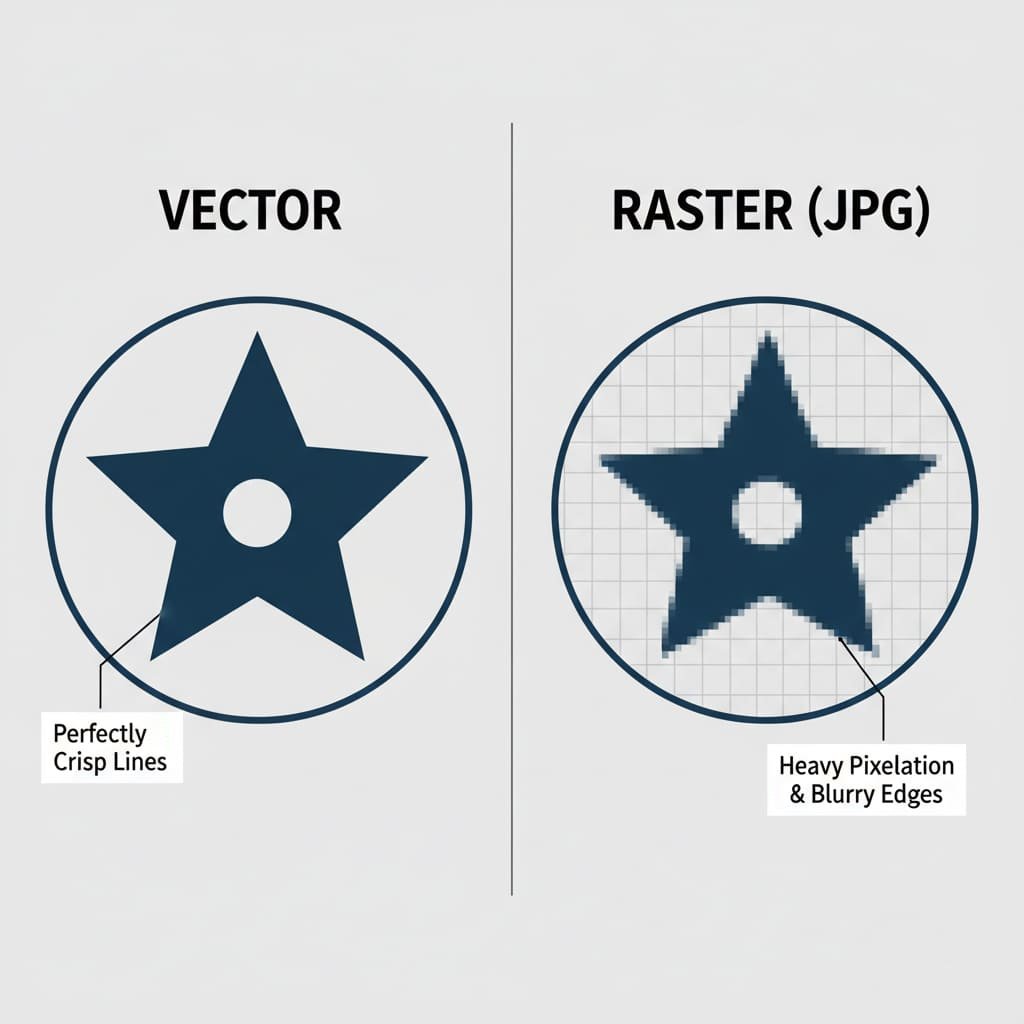
Lad os starte med et enkelt, direkte svar. EN vektor fil is a digital illustration made of mathematical lines, points, and curves instead of pixels. Because it’s based on math formulas, it can be scaled to any size—from a tiny pin to a giant billboard—without ever losing quality or becoming blurry. It’s the industry-standard for any kind of high-quality printing or manufacturing.
The easiest way to understand this is with an analogy: the blueprint versus the photograph.
- EN Vector File is like a Blueprint. It’s a set of precise instructions. It tells the computer, “draw a perfect circle here with this diameter,” and “draw a perfectly straight line from this point to that point.” A factory’s CNC machine can read these exact instructions to cut a flawless metal mold for your pin.
- EN Raster File (like a JPG or PNG) is like a Photograph of the blueprint. It’s a snapshot made of thousands of tiny colored squares (pixels). From a distance, it looks great. But if you zoom in too close, all you see are the individual squares, and the edges become blurry and jagged. A machine cannot read this fuzzy picture to create a clean, sharp mold.
Why is Vector Artwork Absolutely Essential for Making Enamel Pins?
The need for vector art isn’t just a preference; it’s a physical requirement of the manufacturing process. The quality of your final pin is directly tied to the quality of the vector file used to create it.
- It Creates the Mold: The very first step in production is creating a custom steel mold of your design. A computer-controlled engraving machine uses the super-precise paths from the vector file to carve the design into the metal. Clean lines in the file equal clean, sharp lines in the mold. A blurry JPG would result in a messy, inaccurate mold.
- It Defines the Colors: The vector file creates the separate, enclosed “pools” that will be filled with enamel paint. The clean metal borders are critical to prevent different colors from bleeding into one another.
- It Allows for Perfect Scaling: Your design needs to be scaled to the exact production dimensions (e.g., 1.25 inches). Vector art allows our team to do this with perfect precision, ensuring every detail is proportional.
Vector vs. Raster Comparison Table
Key Differences: Vector vs. Raster Graphics
| Feature | Vector Graphics | Raster Graphics (JPG, PNG, GIF) |
|---|---|---|
| Made Of | Mathematical Paths, Lines, & Curves | A Grid of Colored Pixels |
| Skalerbarhed | Infinitely scalable without any quality loss. | Loses quality and becomes blurry when enlarged. |
| Common File Formats | .AI, .EPS, .SVG, .PDF (from vector software) | .JPG, .PNG, .GIF, .TIFF, .BMP |
| Bedst til | Logos, Illustrations, Pin Designs | Photographs, Detailed Digital Paintings |
| Why for Pins? | Required. Creates the clean, precise lines needed for the metal mold. | Not Directly Usable. Blurry edges create a messy, inaccurate mold. |
The “Factory-Ready” File: What We Actually Need
When a manufacturer asks for a “factory-ready” or “production-ready” file, they are looking for a vector file that meets a few specific technical requirements. Understanding these will help you communicate with any manufacturer like a pro.
The Official Checklist:
- Correct File Format: The file should be saved in one of the standard vector formats. The most common and preferred are
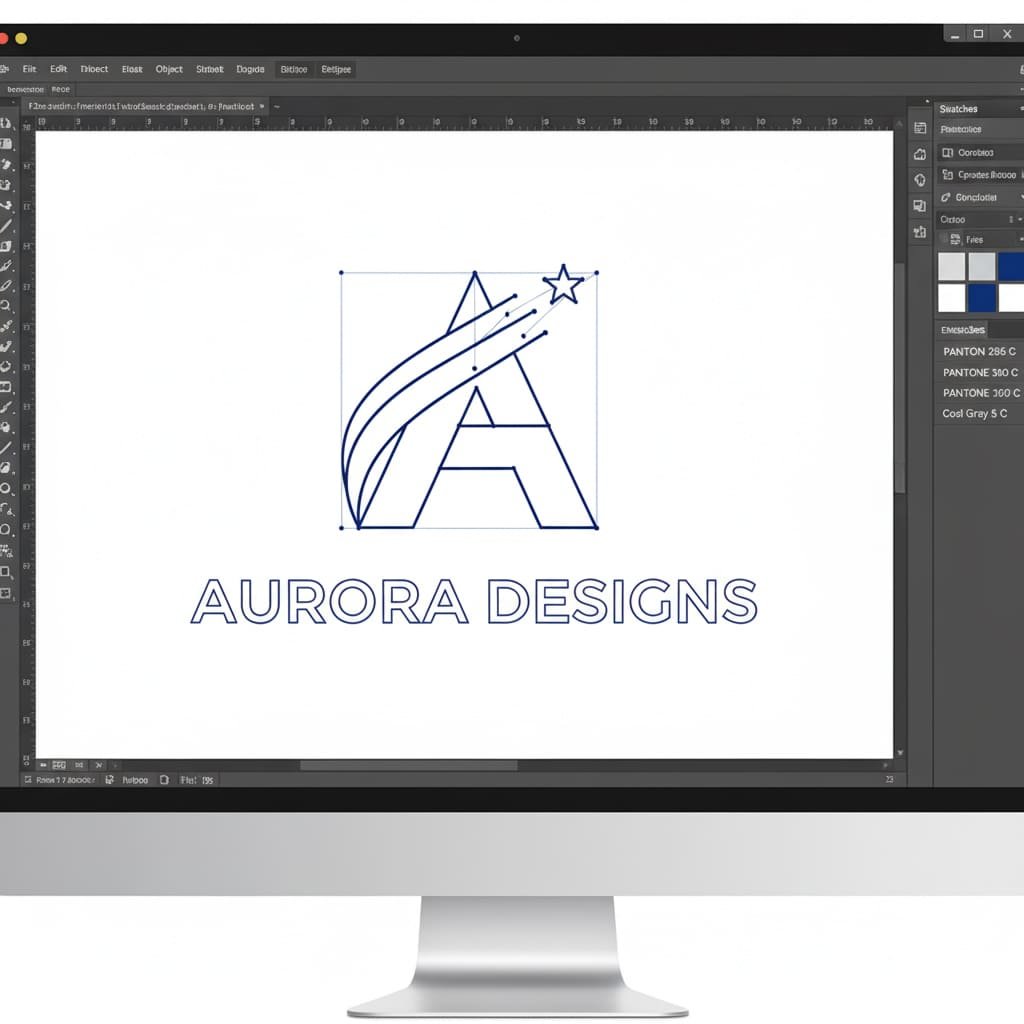
.AI(Adobe Illustrator) and.EPS. Other excellent formats include.PDF(when saved correctly from vector software) and.SVG. - All Text Converted to Outlines: Dette er et kritisk skridt. Hvis du bruger en skrifttype i dit design, som vores designere ikke har installeret, vil deres computer automatisk erstatte den med en anden, hvilket kan ødelægge dit layout. "Konvertering til konturer" er en sidste kommando i vektorsoftware, der "låser" teksten til en permanent form. Dette sikrer, at din typografi ser ud præcis, som du havde tænkt dig.
- Solid Pantone (PMS) farver: Din fil skal angive de nøjagtige Pantone Solid Coated-koder for hvert farveområde. Dette er det universelle sprog for farve i fremstillingen og garanterer nøjagtighed. For en dybere forståelse af dette afgørende skridt, bedes du læse vores guide til, hvorfor Pantone-matching er kritisk. Husk, at gradienter og skygge ikke er mulige for emaljestifter, så der bør kun bruges ensfarvede farver.
- Klart definerede metallinjer: Som nævnt skal hvert farveområde være fuldstændigt omsluttet af en metallinje. Filen skal ligne en ren malebogsside uden huller i konturerne.
Jeg er ikke designer. Hvad er mine muligheder?
Dette er det vigtigste spørgsmål for de fleste af vores kunder. Du har en god idé, men du har ikke softwaren eller evnerne til at oprette en teknisk vektorfil. Bare rolig. Du har flere fremragende, nemme muligheder.
Sti 1: Den nemmeste vej – Lad vores eksperter gøre det gratis
This is the simplest, most popular, and completely risk-free solution. Our entire business is built on making this process easy for you. You provide the idea, and we handle all the technical artwork for you.
What You Can Provide Us (Literally Anything):
- A Hand-Drawn Sketch: Have an idea on a napkin? A drawing in a notebook? Perfect. Take a clear photo with your phone and send it to us.
- A Low-Resolution JPG/PNG File: Have a company logo, a piece of digital art, or an image you found online that you want to adapt? No problem. Send us the highest-quality version you have.
- Just a Description: Don’t have a drawing at all? Just describe your vision to us in an email. Our professional artists are experts at turning written ideas into beautiful visual designs.
What We Do (Our Free, All-Inclusive Design Service):
Når vi har dit koncept, går vores professionelle designteam i gang. De vil manuelt gentegne dit koncept som en perfekt, ren, produktionsklar vektorfil, og sikre sig, at den overholder alle de kritiske fremstillingsregler for linjetykkelse og farveseparation. Vi sender dig derefter et professionelt digitalt korrektur (en mockup af høj kvalitet) til din godkendelse. Du kan anmode om så mange ændringer, som du har brug for, og vi tilbyder **ubegrænsede revisioner**, indtil du er 100 % tilfreds med designet. Hele denne service er **helt gratis** og kommer uden forpligtelse til at bestille.
Sti 2: Gør-det-selv-tilgangen – værktøjer, du kan bruge
Hvis du føler dig eventyrlysten og vil prøve at skabe din egen simple vektorfil, er den mere tilgængelig end nogensinde. Her er et par værktøjer, du kan bruge:
- Fri software (Inkscape): Inkscape er et kraftfuldt, gratis og open source-alternativ til Adobe Illustrator. Den har fulde vektoregenskaber, men kan have en stejlere indlæringskurve for helt nybegyndere.
- Web-baseret software (Vectr, Canva): Disse browserbaserede værktøjer er meget brugervenlige. Mens nogle af deres avancerede vektoreksportfunktioner kan være en del af en betalt plan, er de gode til at skabe enkle former og tekst.
Vej 3: Den professionelle vej – ansættelse af en freelance designer
If your project is highly complex, part of a larger branding initiative, or you simply want to work with a specific artist, hiring a freelance designer is a great option. You can find talented designers on platforms like Upwork, Fiverr, or 99designs.
When hiring a freelancer, give them this exact instruction: ‘I need a factory-ready vector file for an enamel pin. The final file should be in .AI or .EPS format, with all text converted to outlines, and all colors specified as Pantone Solid Coated.’ This will ensure you get exactly what a manufacturer needs.
Common Artwork Issues and Solutions
| Your Problem | The Simple Solution |
|---|---|
| “My logo is a JPG/PNG file. Can you use it?” | Yes! While we can’t use it directly for the mold, our artists will use your file as a perfect reference to professionally redraw it as a clean vector file. This is a core part of our free design service. |
| “My design has gradients, shading, or a photograph.” | For a traditional enamel pin, these effects won’t work. We offer two great solutions: 1) Our designers can help you simplify the design, expertly converting the gradients into beautiful solid colors. 2) We can produce your design as a Printed Pin, which perfectly reproduces photographic detail. |
| “The proof you sent back looks different from my original art.” | This is a normal and very important part of the process! It usually happens for technical reasons, like lines being too thin or text being too small. A good manufacturer will explain what they changed and why. This is a sign of an expert partner helping you create a better final product. |
| “Why are there thick black lines all over my design in the proof?” | Those lines represent the raised metal that will separate the colors. They might look prominent on a digital screen, but on the final, small pin, they will look proportional and are essential for a clean result. For more guidance, see our 10 kritiske designtips til pins. |
Your Jargon-Busting Glossary of Vector Terms
This industry is full of technical terms. Here’s a simple, jargon-free glossary to help you understand the language.
- AI File (.ai): The native file format for Adobe Illustrator, the industry-standard vector design program.
- Convert to Outlines: A command in vector software that turns editable text into permanent shapes, preventing font errors.
- Die Lines: The raised metal lines on a pin that form the outline of the design and separate the colors.
- DPI (Dots Per Inch): A measure of resolution for raster (pixel-based) images. 300 DPI is considered high-resolution for printing.
- EPS (Encapsulated PostScript): A common vector file format that is compatible with a wide range of design software.
- JPG/JPEG: A common raster image format, best used for photographs. It uses “lossy” compression, meaning it loses quality each time it’s saved.
- Mockup / Proof: A digital image provided by the manufacturer that shows what your final pin will look like.
- Pantone (PMS): A standardized color matching system used in manufacturing to ensure precise and consistent color reproduction.
- Pixel: A single tiny square of color that is the smallest building block of a raster image.
- PNG: Et rasterbilledformat, der er fantastisk til webgrafik, fordi det understøtter gennemsigtige baggrunde.
- Raster: Ethvert billede lavet af et gitter af pixels. Det kan ikke skaleres uden at miste kvalitet.
- SVG (Scalable Vector Graphics): Et vektorfilformat, der er populært til webbrug, fordi det kan skaleres i en browser.
- Vektor: Ethvert billede lavet af matematiske stier. Den kan skaleres uendeligt uden at miste kvalitet.
Du er klar til at gå!
Du har nu al den viden, du har brug for, for selvsikkert at tackle kunstværket til dit brugerdefinerede emaljestift-projekt. En ren vektorfil er den essentielle plan for et produkt af høj kvalitet, men du behøver ikke at være en professionel designer for at få en.
Ved at forstå disse kernekoncepter og samarbejde med en ekspertproducent kan du sikre, at din kreative vision bliver perfekt omsat til et fantastisk, fabriksklar design. De tekniske detaljer er vores opgave; din opgave er at bringe de gode ideer.